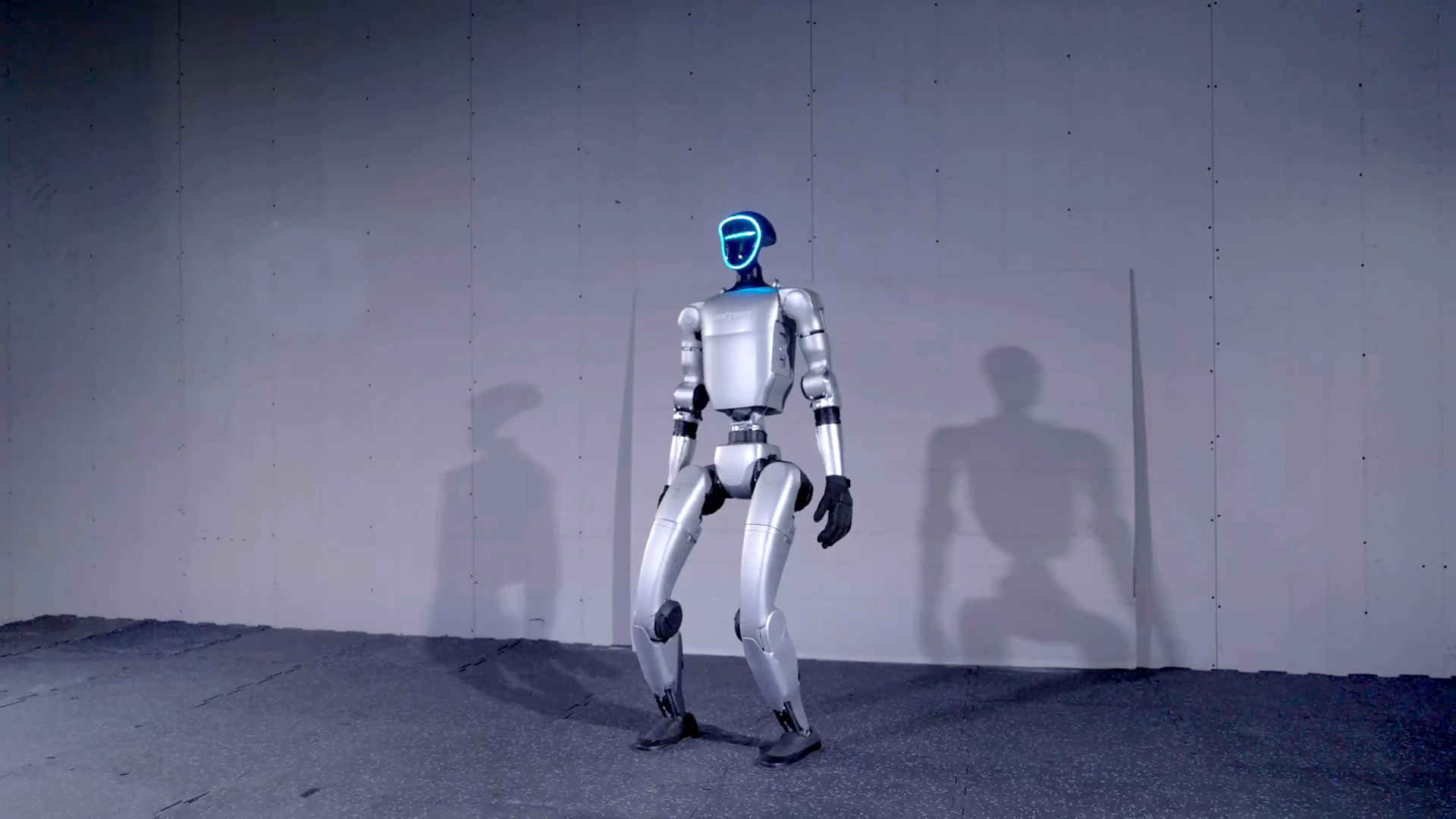
G1 灰牆場景中完整機體動作
Unitree Robotics 宇樹機械人

Official Education and Training Partner of Unitree Robotics

Unitree G1Whole-Body Motion,
Dexterous Hands

G1 combines bipedal walking with waist and arm movements. Choose G1 EDU to add dexterous hands and program locomotion, arm and finger control—bringing walking and object-manipulation experiments to the physical robot.

Equipment Supply · Custom Development · Team Training
Choose by Application & Version

Choose Your Application, Then Your Version

Buy equipment separately, or add accessories, development and training as needed. You can also ask us for help before choosing a version.

G1

Operation & Motion Demonstrations

Use remote control for walking and whole-body movements, for demonstrations and hands-on operation.

G1 EDU

Custom Development & Manipulation

Supports custom programming, with optional dexterous hands, wrist joints, tactile sensors and computing modules to suit your research.

01 · Whole-Body Coordination

Bipedal Walking,
Whole-Body Coordination

Use the handheld controller to operate G1’s walking and posture changes. Observe bipedal locomotion, balance and arm movements, with hands-on operation for students and teams exploring whole-body coordination.

02 · G1 EDU & Three-Finger Dexterous Hands

Arms & Dexterous Hands
for Manipulation Research

Add Dex3-1 three-finger dexterous hands to G1 EDU to program finger opening, closing and gripping. Build pick-and-place sequences step by step, from opening the fingers and holding an object to moving and releasing it.

Command the Fingers, Read Their Positions

Each hand has 7 active degrees of freedom. Set target finger positions, then read back actual positions to test opening, closing and gripping movements.

Add Wrist Joints & Tactile Sensing

For greater wrist movement or contact data, add extra wrist joints and tactile arrays.

03 · G1 EDU Robot Development

Program G1’s
Locomotion & Arms

G1 EDU supports custom programming so teams can control movement, read robot state and test control sequences on the physical robot.

01

Combine Movement & Interaction

Set forward, lateral and turning speeds. Combine moving, stopping and waving to program humanoid interaction sequences.

02

Create Custom Arm Movements

Set arm-joint control commands and read actual joint states to test arm poses and manipulation sequences.

04 · Simulation & Physical Testing

Train in Simulation,
Test on the Robot

Use G1 EDU for locomotion-control research: train a walking control policy, check gait and balance in MuJoCo simulation, then deploy it to the robot for testing. Simulation lets your team compare and adjust software before observing its effect on physical motion.

A Locomotion-Control Development Workflow

Train a control policy, export the model, test it in MuJoCo, then deploy it to G1 EDU. This workflow focuses on legged locomotion and requires a development computer, network connection and the appropriate control configuration.

Vinci AI · Official Education and Training Partner

Equipment, Development & Training,
Supported by One Team

As an Official Education and Training Partner of Unitree Robotics, Vinci AI provides G1 equipment selection, custom development and team training.

Choose Hand Options for Your Task

Planning walking demonstrations or arm-based object manipulation? We help you choose G1 or EDU, together with dexterous hands, wrist joints, tactile sensors and computing modules.

Hands-on Operation & Team Training

Instructors guide robot operation. Teams with programming experience can progress to locomotion, arm and finger control, and testing from simulation to the physical robot.

Support for Custom Control Applications

For custom movements or object-manipulation sequences, we provide related development support to help your team write and test control workflows.

Version Comparison

Demonstrations or Custom Development?

G1

Humanoid Operation & Motion Demonstrations

For remote-controlled demonstrations and teaching humanoid robot operation.

G1 EDU

Control Research & Dexterous Manipulation

Supports custom programming, with optional hands, wrist joints, tactile sensors and computing modules for locomotion-control and manipulation research.

Key Differences G1 G1 EDU
Primary Use Operation & Motion Demonstrations Programming & Manipulation Research
Custom Programming — Supported
Dexterous hands — Optional Dex3-1 Three-Finger Hands
Additional Wrist Joints / Tactile Sensing — Optional
Depth Camera & 3D LiDAR Included Included
Additional High-Performance Computing — Optional
Total Degrees of Freedom 23 23–43, depending on waist, wrist and hand configuration

Maximum arm payload: approximately 2 kg for G1 and 3 kg for G1 EDU, varying with arm extension and posture.

Hardware Configuration & Purchasing

Buy equipment on its own, with training, development and accessories available separately. Request pricing for your selected version, configuration and delivery arrangements, and let us know your location. Choose EDU if you need custom programming. You can enquire before your version, quantity or budget is finalised.

Vinci AI · Partnerships and practical experience

From robotics training to industry exchange

Vinci AI 創辦人 LP Cheung 出席數碼港全民AI啟動禮

AI for All embodied AI workshop

As one of the delivery organisations for Cyberport’s AI for All initiative, Vinci AI used real robots to introduce participants to embodied AI.

Read the full case study
教育局人工智能教育杭州團於宇樹科技門前合照

EDB Hangzhou delegation visit to Unitree

Helped Unitree coordinate the Hong Kong Education Bureau delegation’s Hangzhou visit and introduced robotics technology and applications to education representatives.

Read the full case study
Vinci AI 帶領香港教育界代表團出席世界物理 AI 大會

World Physical AI Conference

Led a Hong Kong education delegation to Hangzhou for exchanges with Unitree and embodied AI companies from different regions.

Read the full case study
G1 Procurement & Development Enquiries

Discuss Your G1
Equipment & Development Needs

Buy G1 hardware on its own, with hand options, computing modules, training and development available separately. Tell us about your walking or manipulation application. You can contact us before choosing a version or purchasing timeline.